Get a one-time sign-in link
For a new member with no password yet, or anyone locked out.
Where
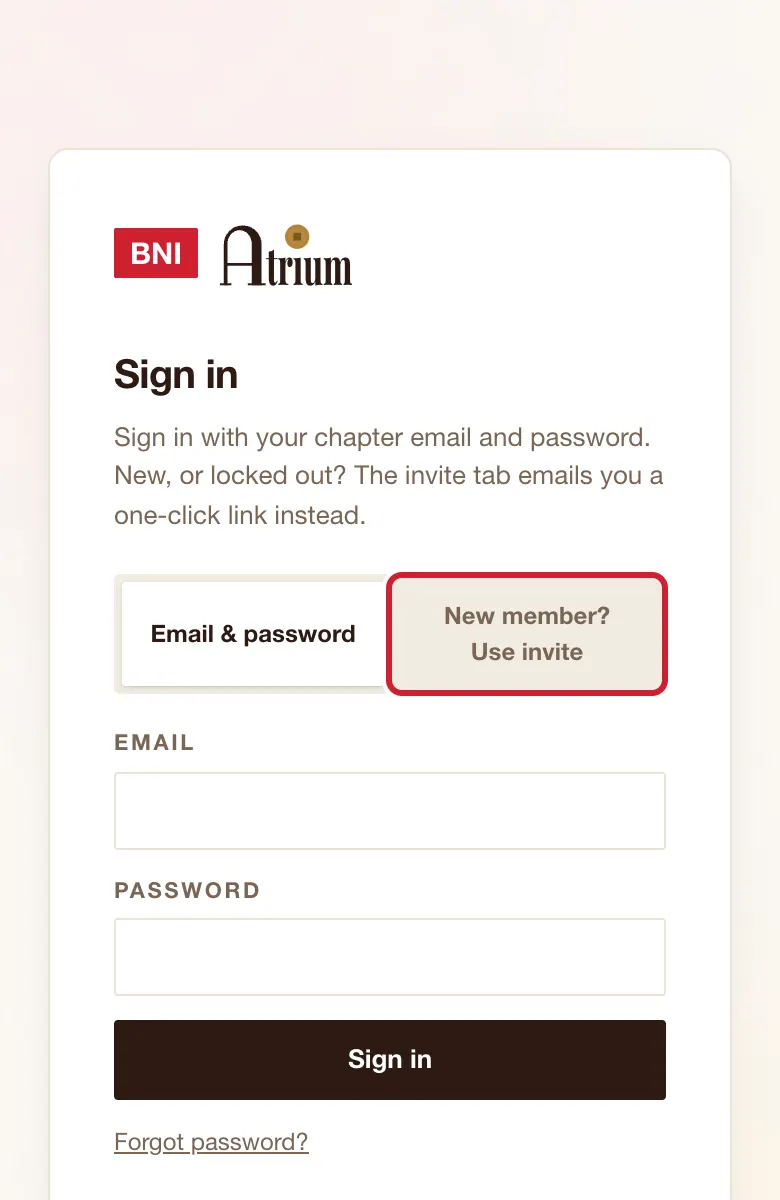
Sign in page, second tab, New member? Use invite.
What to do
- Tap New member? Use invite.
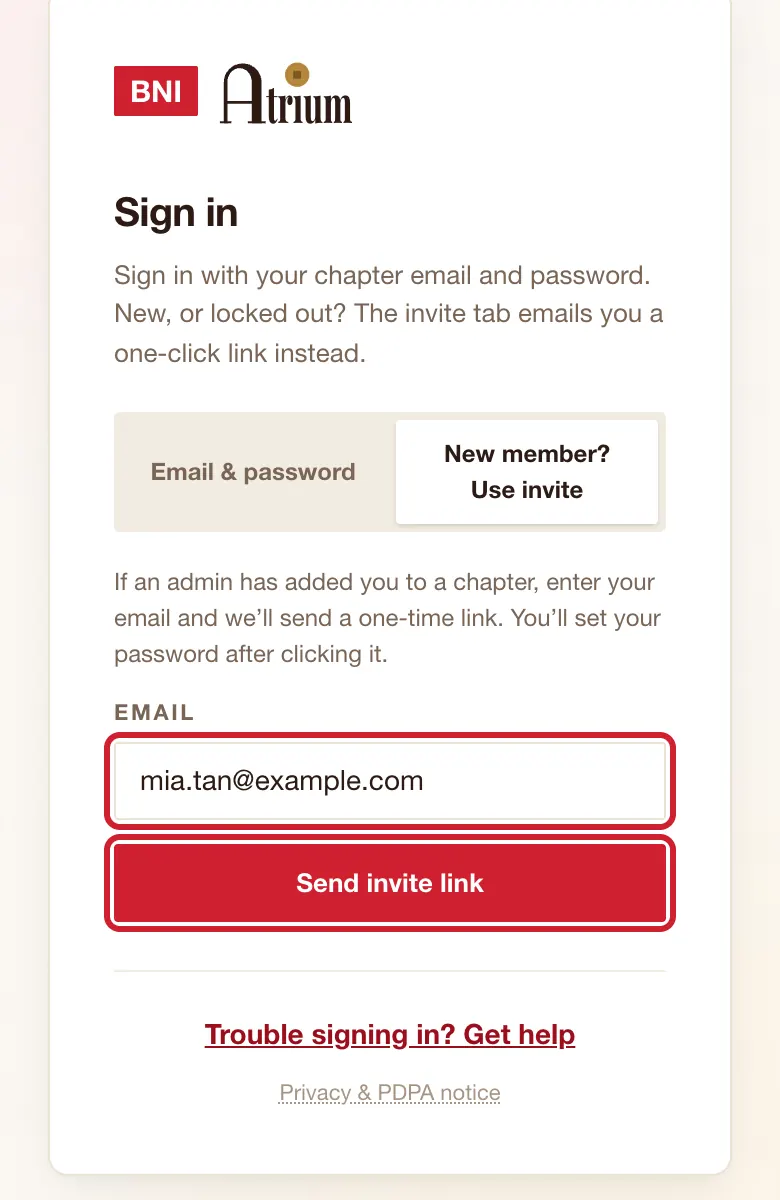
- Type your Email and tap Send invite link.
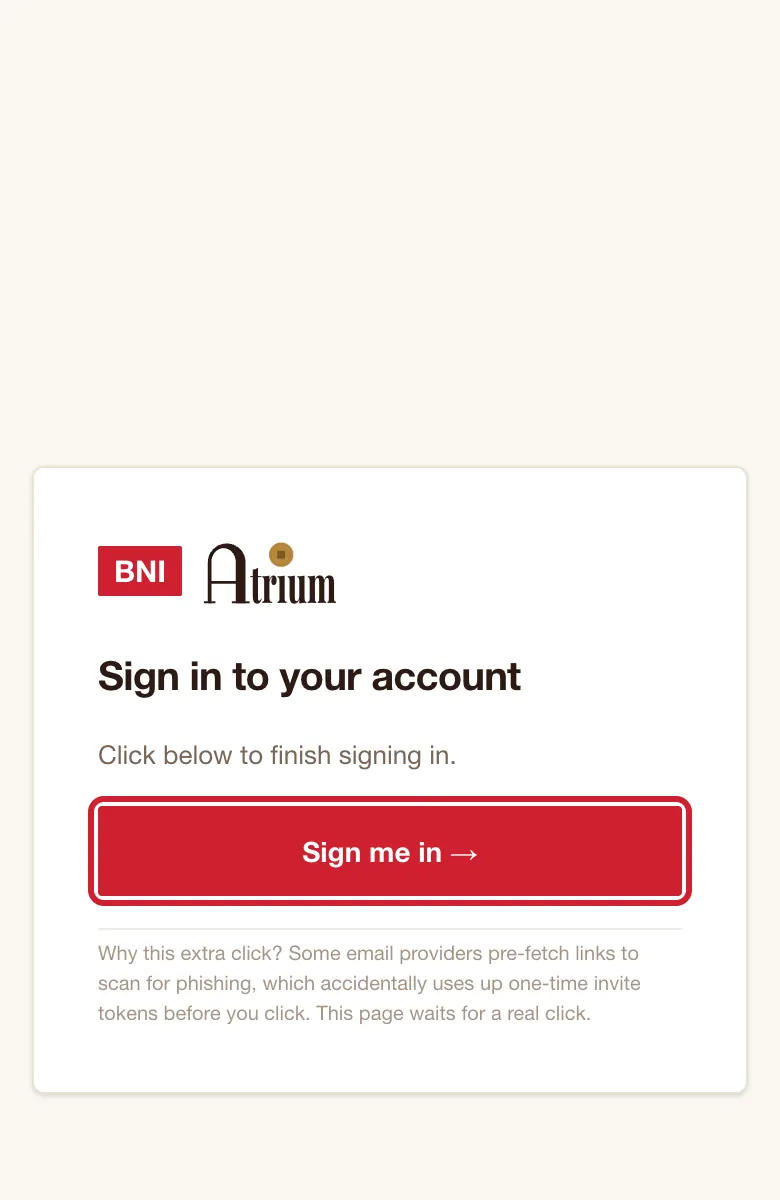
- Open the email and tap the button. On Sign in to your account, tap Sign me in →.
What you’ll see
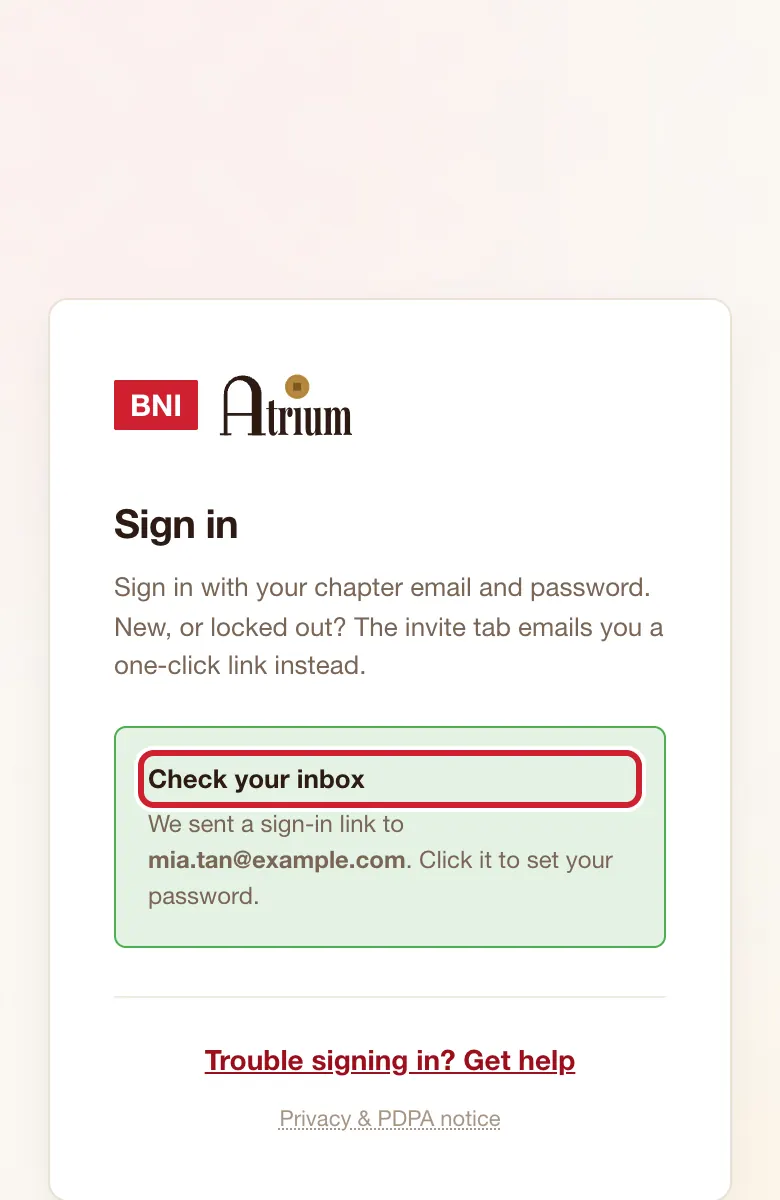
You see Check your inbox, then your email opens the app.
Good to know
- If you land on Home and still have no password, use Forgot password? to set one.
If the screen says
We couldn't send this email. Ask your chapter admin for a temporary password.
Do that.
You're signed in, but this email isn't linked to a member account yet.
Use the email your chapter has for you, or tell your chapter admin.
Still stuck?